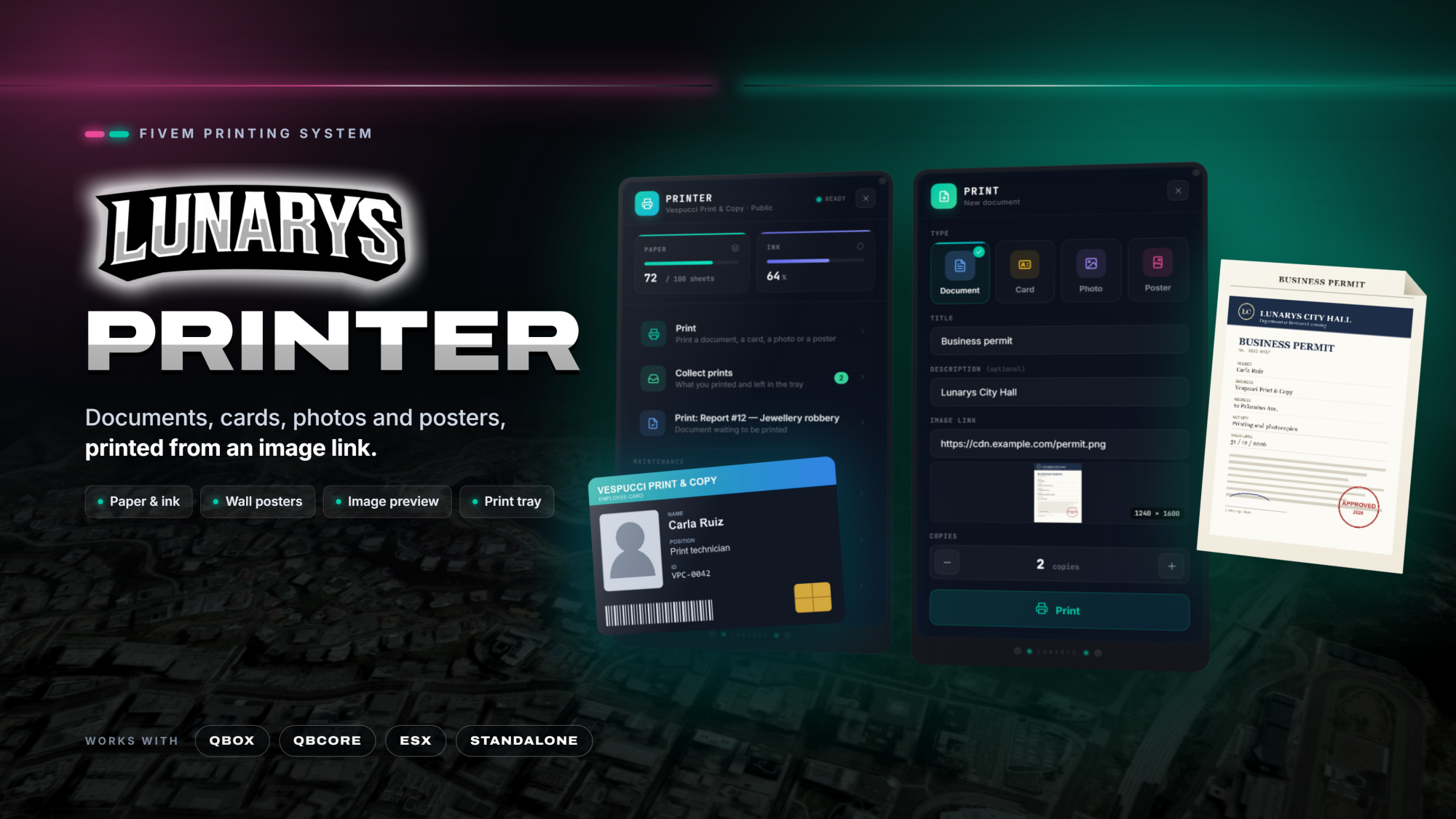
LunarysPrinter: impresoras con papel y tinta para documentos, tarjetas, fotos y pósters
Impresoras para imprimir documentos, tarjetas, fotos y pósters a partir de un enlace de imagen. Lo impreso se lee en pantalla con su forma (folio con membrete, carné con brillo, foto revelada) y los pósters se pegan en cualquier pared. Cada impresora tiene su papel y su tinta, una bandeja, un almacén y un trabajo dueño.
Las impresoras se colocan en el juego: con /printers el staff elige el modelo, apunta donde va, pulsa E y decide su trabajo y si cualquiera puede imprimir.
Lo que trae:
• Imprimir desde un enlace: tipo, título, descripción opcional, enlace de la imagen con vista previa y copias. Cada copia gasta una hoja y algo de tinta; cancelar no cuesta nada.
• Visor de lo impreso: folio, carné o foto se abren desde el inventario con su forma.
• Pósters en las paredes: apunta a una pared, elige el tamaño con la rueda y pégalo; conserva la proporción de la imagen. Su dueño lo quita y lo recupera; el staff quita cualquiera con /removeposters. Pósters en blanco para vender en tiendas.
• Papel, tinta, bandeja y almacén: la impresora es pública o de un trabajo, que la recarga y abre su almacén. Si te alejas mientras imprime o no te cabe, la impresión te espera en la bandeja.
• Documentos de otros scripts: cualquier recurso deja sus propios documentos en la cola de impresión con el export SetPendingPrint.
• Ligero: las impresoras solo aparecen cerca y los pósters se pintan con pocas texturas compartidas; lejos de todo no gasta nada.
• Registro en Discord opcional de lo que se imprime (con la imagen), lo recogido de la bandeja, las impresoras y los pósters.
Qué incluye y qué no:
LunarysPrinter funciona por sí solo: no necesita LunarysLaptop ni ninguna app. Trae las impresoras, el visor, los pósters, la colocación desde el juego y los archivos de instalación de los seis objetos (documento, tarjeta, foto, póster, papel y cartucho de tinta). La integración con LunarysPolice es opcional y se vende por separado: los informes, casos y órdenes que un agente exporta desde su tablet salen en cualquier impresora y se abren con el visor de la tablet.
Compatibilidad: Qbox, qb-core, ESX o sin framework, se detecta solo. Necesita ox_lib, oxmysql y un inventario que guarde datos en los objetos: ox_inventory, qb-inventory (y derivados) o qs-inventory; el de ESX de serie no guarda la imagen de lo impreso. Opcional: sistema de target; sin él, con una tecla. Textos en español e inglés. Protegido con escrow; la configuración, el bridge, la carpeta custom, los locales y la carpeta install van abiertos.
Lee la guía completa en Documentación.
[EN]
LunarysPrinter: printers with paper and ink for documents, cards, photos and posters
Printers to print documents, cards, photos and posters from an image link. Prints are read on screen with their own shape (sheet with a header, ID card with a shine, instant photo) and posters go on any wall. Each printer has its own paper and ink, a tray, a storage and an owner job.
Printers are placed in game: with /printers the staff chooses the model, aims where it goes, presses E and picks its job and whether anyone can print.
What you get:
• Print from a link: type, title, optional description, image link with preview and copies. Every copy spends a sheet and some ink; cancelling costs nothing.
• Viewer for the prints: sheet, card or photo open from the inventory with their own shape.
• Posters on the walls: aim at a wall, pick the size with the wheel and stick it; it keeps the proportions of the picture. Its owner takes it down and gets it back; the staff removes any poster with /removeposters. Blank posters to sell in shops.
• Paper, ink, tray and storage: a printer is public or belongs to a job, which refills it and opens its storage. If you walk away while it prints or it does not fit, the print waits for you in the tray.
• Documents from other scripts: any resource queues its own documents with the SetPendingPrint export.
• Lightweight: printers only appear nearby and posters are drawn with a few shared textures; far from everything it costs nothing.
• Optional Discord log of what is printed (with the picture), what is collected from the tray, the printers and the posters.
What is included and what is not:
LunarysPrinter works on its own: it needs neither LunarysLaptop nor any app. It brings the printers, the viewer, the posters, the in-game placement and the install files of the six items (document, card, photo, poster, paper and ink cartridge). The integration with LunarysPolice is optional and sold separately: the reports, cases and warrants an officer exports from the tablet show up in any printer and open with the viewer of the tablet.
Compatibility: Qbox, qb-core, ESX or no framework, detected automatically. Requires ox_lib, oxmysql and an inventory that keeps data in the items: ox_inventory, qb-inventory (and forks) or qs-inventory; the default ESX inventory cannot keep the picture of a print. Optional: a target system; without it, a key. Texts in English and Spanish. Escrow-protected; the config, the bridge, the custom folder, the locales and the install folder are open.
Read the full guide under Documentation.
Cliente TOP
Todavía no hay nadie destacado.No top supporter yet.
Pagos Recientes
-
 Cristian_betancor LunarysCoins · 23,99 €
-
 Kandrus LunarysCoins · 7,99 €
-
Kandrus LunarysCoins · 7,99 €
-
 Araceli_Lopez LunarysCoins · 19,99 €
-
Kandrus Tarjeta Regalo 20 EUR · 19,99 €
Devoluciones
¿Puedo devolver algún producto?
Lamentablemente, no es posible realizar devoluciones. Sin embargo, nuestro equipo de atención está disponible las 24 horas del día, los 7 días de la semana, para ayudarte con cualquier consulta o incidencia que tengas.
[EN]
Can I get a refund?
Unfortunately, refunds are not possible. However, our support team is available 24 hours a day, 7 days a week, to help you with any question or issue you may have.